| Formatting Text |
| |
| Change font Style |
| |
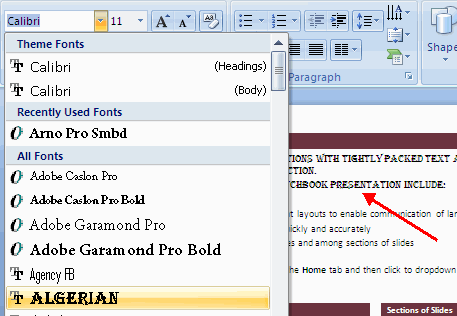
| To change the font typeface: |
| |
. Click the arrow next to the font name and choose a font.
. Remember that you can preview how the new font will look by highlighting the text, and hovering over the new font typeface. |
| |
 |
| |
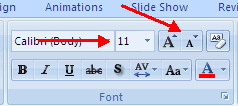
| To change the font size: |
| |
. Click the arrow next to the font size and choose the appropriate size, or
. Click the increase or decrease font size buttons. |
| |
 |
| |
| Font Styles and Effects |
| |
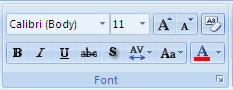
| Font styles are predefined formatting options that are used to emphasize text. They include: Bold, Italic, and Underline. To insert these to text: |
| |
. Select the text and click the Font Styles included on the Font group of the Home tab or
. Select the text and right click to display the font tools |
| |
 |
| |
| Change Text Color |
| |
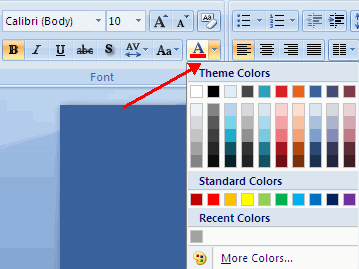
.	Select the text and click the Colors button included on the Font Group of the Ribbon, or
.	Highlight the text and right click and choose the colors tool.
.	Select the color by clicking the down arrow next to the font color button.
|
| |
 |
| |
| For Animated presentation Click here |
| |
| |
|
| |
| |


