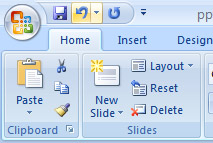
 . Unfortunately, you cannot pick and choose from the Undo command button's drop-down menu; the menu simply allows you to undo multiple instances of things all at one time.
. At periodic times, Undo doesn't work. PowerPoint warns you, though.
. The Undo command doesn't work when there's nothing to undo, or if something simply cannot be undone.
 |
 |
 |