| Getting Started With Linux |
| |
| Creating shortcuts |
| |
| Shortcuts also known as softlink in Linux are similar to Windows Shortcuts, but the procedure of a creating a shortcut in Linux is different from windows. |
| |
| Creating desktop shortcuts |
| |
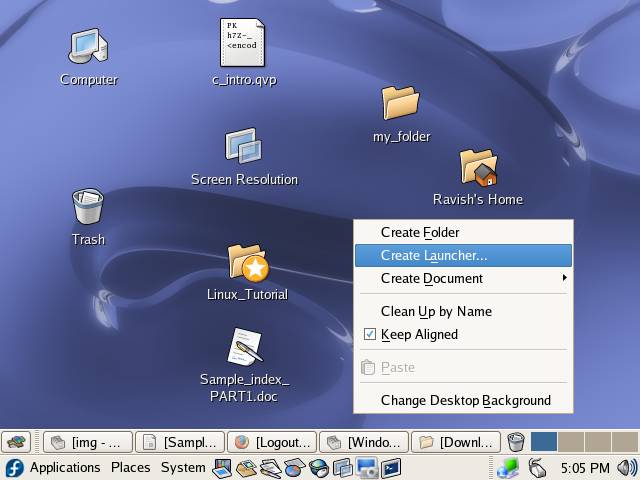
| 1. Right-click on the Desktop and select Create Launcher from the desktop shortcut menu. |
| |
|
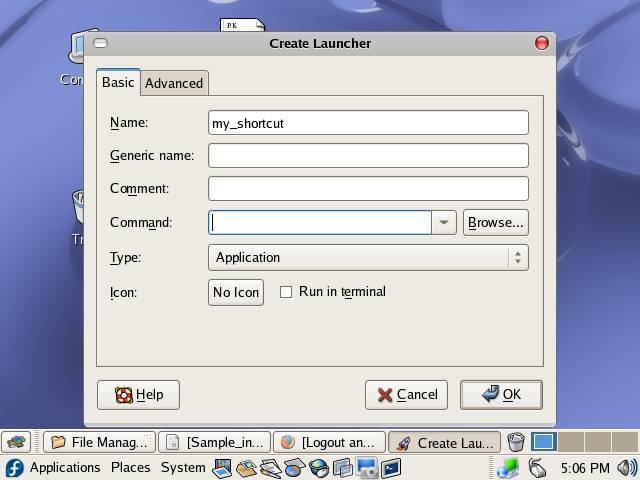
| 2. Create Launcher dialog box will be displayed, type the name of shortcut in the Name box |
| |
|
| |
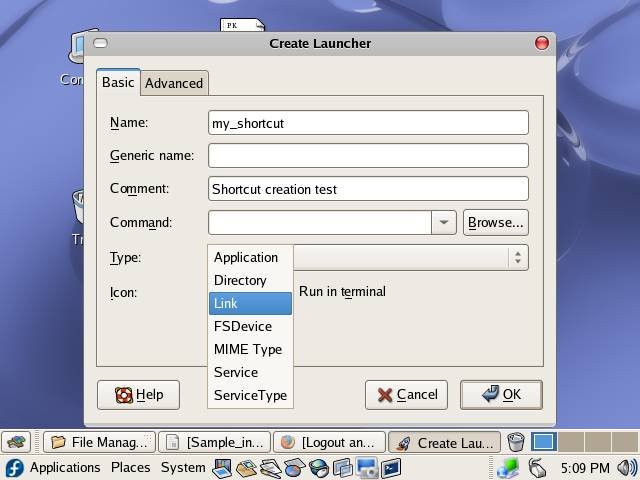
| 3. Select the type of Shortcut from Type dropdown box |
| |
|
| |
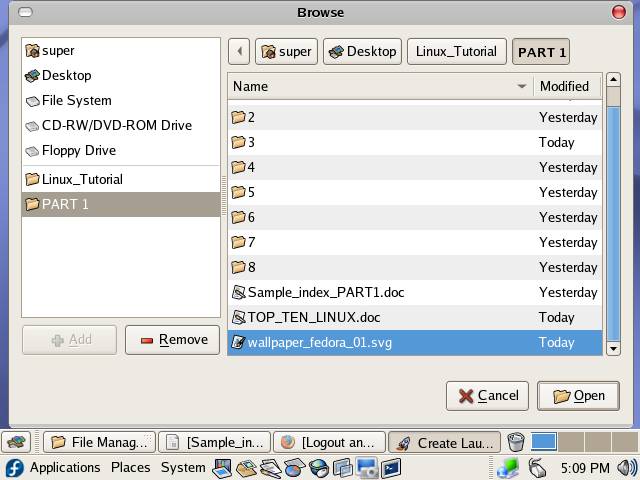
| Type the command that you want to execute by this link, in Command text box or click on Brows button to select the desired Command/Folder/File etc. |
| |
|
| |
| select the desired element and click on Open button. |
| |
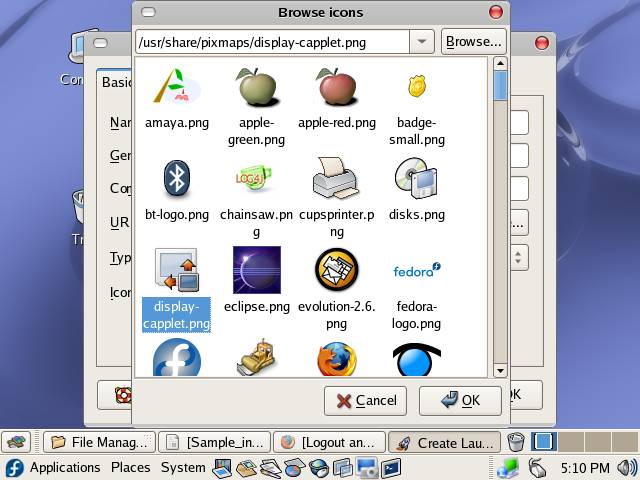
| 5. Click on Icon button to select and icon for your shortcut |
| |
|
| |
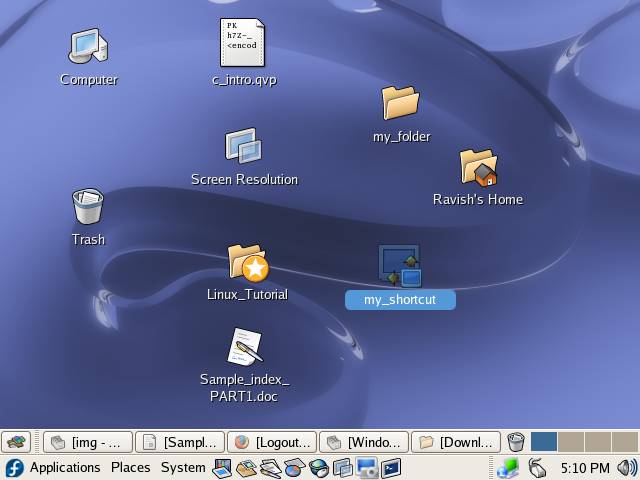
| Click on OK button to create the shortcut |
| |
|
| |
| |
| |
| |
| |


