Protocol
Terminal emulation
Client/Server based
Access to resources on other machines
 |
 |
 |
| Internet Application | |||
| Telnet | |||
| • Connecting to a "remote" computer
Protocol Terminal emulation Client/Server based Access to resources on other machines |
|||
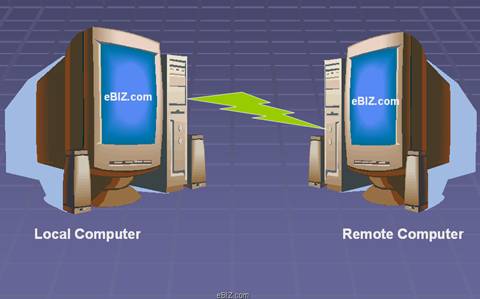
| Telnet is a protocol, or set of rules, that enables one computer to connect to another computer. This process is also referred to as remote login. | |||
| The user's computer, which initiates the connection, is referred to as the local computer, and the machine being connected to, which accepts the connection, is referred to as the remote, or host, computer. The remote computer can be physically located in the next room, the next town, or in another country. | |||
| Once connected, the user's computer emulates the remote computer. When the user types in commands, they are executed on the remote computer. The user's monitor displays what is taking place on the remote computer during the telnet session. | |||
|
|||
| The procedure for connecting to a remote computer will depend on how your Internet access is set-up. | |||
| Once a connection to a remote computer is made, instructions or menus may appear. Some remote machines may require a user to have an account on the machine, and may prompt users for a username and password. | |||
| Many resources, such as library catalogs, are available via telnet without an account and password. | |||
|
|||