Navigate the file structure to find the file you want
Transfer the file
Documents - examples include research papers, articles and Internet documentation
 |
 |
 |
| Internet Application | |||
| FTP | |||
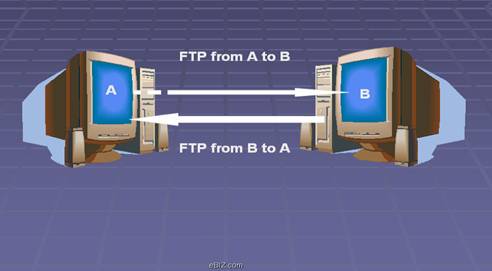
| FTP stands for File Transfer Protocol, and is part of the TCP/IP protocol suite. It is the protocol, or set of rules, which enables files to be transferred between computers. FTP is a powerful tool which allows files to be transferred from "computer A" to "computer B", or vice versa. | |||
|
|||
| FTP works on the client/server principle. A client program enables the user to interact with a server in order to access information and services on the server computer. Files that can be transferred are stored on computers called FTP servers. To access these files, an FTP client program is used. This is an interface that allows the user to locate the file(s) to be transferred and initiate the transfer process. | |||
| The basic steps to use FTP are: | |||
| • Connect to the FTP server
Navigate the file structure to find the file you want Transfer the file |
|||
| The specifics of each step will vary, depending on the client program being used and the type of Internet connection. Anonymous FTP allows a user to access a wealth of publicly available information. No special account or password is needed. | |||
| However, an anonymous FTP site will sometimes ask that users login with the name "anonymous" and use their electronic mail address as the password. Here is a sample login screen at SURAnet, which was accessed from a UNIX environment. Note that when a password is typed in, the characters do not appear on the screen. | |||
| Some FTP screens may look different, depending on the client being used. | |||
| There is a wide variety of files that are publicly available through anonymous FTP: | |||
| • Shareware - software that you can use free for a trial period but then pay a fee for
Freeware - completely free software, for example fonts, clipart and games
Upgrades & Patches - upgrades to current software and "fixes" for software problems Documents - examples include research papers, articles and Internet documentation |
|||
| Files on FTP servers are often compressed. Compression decreases file size. This enables more files to be stored on the server and makes file transfer times shorter. In order to use a compressed file it needs to be decompressed using appropriate software. | |||
| It is a good idea to have current virus checking software on the computer before files are transferred to it. FTP (File Transfer Protocol) is the protocol, or set of rules, which enables files to be transferred from one computer to another. It is part of the TCP/IP protocol suite. | |||
| Files that are available for FTP are stored on computers called FTP servers. An FTP client program is an interface that allows the user to locate the file(s) to be transferred and initiate the transfer process. It is a good idea to have current virus checking software and compression/decompression software before downloading files. | |||
| Through anonymous FTP, users have access to many types of files including shareware, freeware, upgrades and documents. | |||
|
|||