• Choose File > Place, and select files.
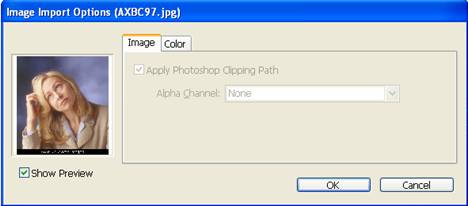
• Select Show Import Options, click Open, and specify the import options for each file.
 |
 |
| Drawing in Indesign | ||
| Placing of Graphics | ||
| • Create frames for the graphics. • Choose File > Place, and select files. • Select Show Import Options, click Open, and specify the import options for each file. |
||
|
||
| Import Options | ||
| When you place an InDesign file and select Show Import Options in the Place dialog box, you’ll see a dialog box containing the following options: | ||
| Show preview | ||
| Preview a page before you place it. You can type a page number or click the arrows to preview a page in a multi-page document. | ||
| Pages | ||
| Specify the pages you want to place: the page displayed in the preview, all pages, or a range of pages. | ||
| Crop to | ||
| Specify how much of the page or pages to place, the page itself or the bleed or slug areas on the pasteboard. | ||
|
||