| Tools of Indesign |
| |
| Tools Overview |
| |
 |
| |
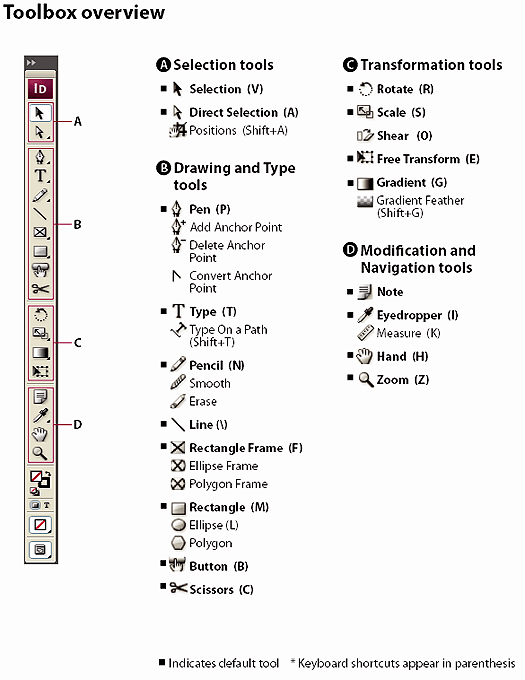
| To display Toolbox: |
| |
| Choose Windows > Tools |
| |
| To display tool options |
| |
| Double-click a tool in the toolbox. |
| |
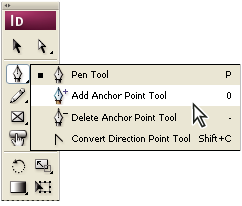
| To display hidden tools: |
| |
• In the toolbox, position the pointer over a tool that has hidden tools and hold down the mouse button.
• When the hidden tools appear, select a tool. |
| |
 |
| |
| Functions of Tools: |
| |
| Type tools |
| |
| Create and format type in standard or customized blocks or paths. |
| |
| Drawing and painting tools |
| |
| Draw and style simple and complex objects, including rectangles, ellipses, polygons, freeform shapes. |
| |
| Selection tools |
| |
| Select (activate) objects, points, or lines. |
| |
| Transform tools |
| |
| Reshape, reorient, and resize objects. |
| |
| Navigation, zoom, and measuring tools |
| |
| Move around in, control the view of, and measure distances in a document. |
| |
| The Scissors tool |
| |
| Splits paths and frames. |
| |
| The Button tool |
| |
| Creates buttons to serve as triggers for various actions in interactive documents. |
| |
|
| |


