| Hardware Inter-Connectivity |
| |
| Installation of Compuetr System |
| |
| Installation of Monitor. |
| |
| a. Position the monitor and the computer so that you can easily get to the back panel of each. |
| |
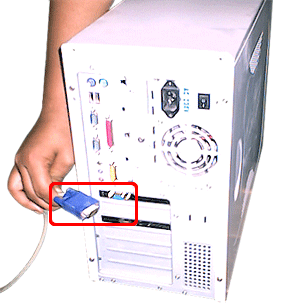
| b. Connect one end of the supplied signal cable with D-sub connector to the VGA port on your CPU Box. |
| |
 |
| |
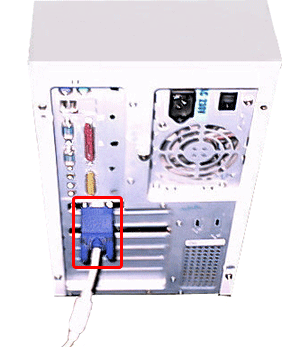
| c. Tighten the screws on the video cable connector to keep it from becoming loose. |
| |
 |
| |
| d. Connect the power cord to the AC receptacle on the back of the monitor to the power inlet socket on your CPU Box. |
| |
| Installation of keyboard. |
| |
| a. Position the keyboard horizontally, so that you can easily press the buttons of the keyboard. |
| |
 |
| |
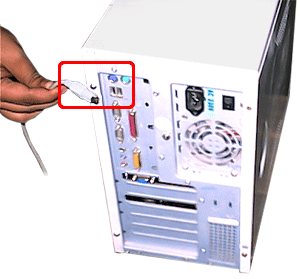
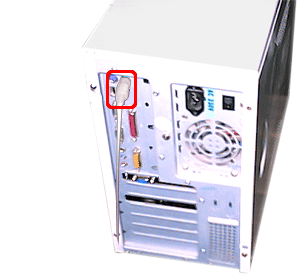
| b. Connect one end of the supplied signal cable with PS/2 connector to the PS/2 port on rear side of Motherboard. |
| |
 |
| |
| Installation of mouse. |
| |
| a. Position the mouse near your keyboard so that you can access it easily. |
| |
 |
| |
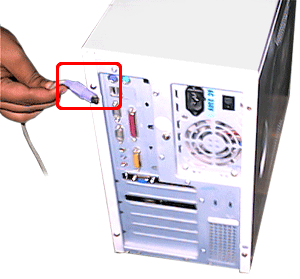
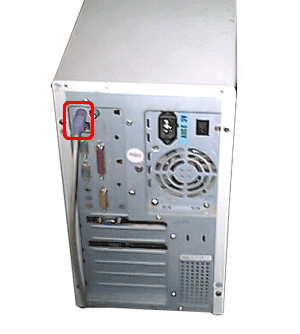
| b. Connect one end of the supplied signal cable with PS/2 connector to the PS/2 port on rear side of Motherboard. |
| |
 |
| |
| Installation of printer. |
| |
| a. Position the printer and computer so that you can easily get to the back panel of each. |
| |
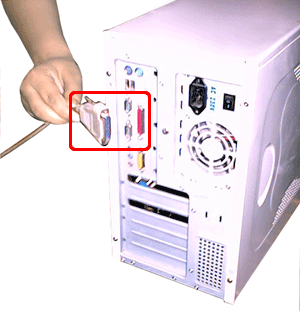
| b. Connect the one end of signal male-cable with D-sub connector to the female socket of your printer. Connect the other end of printer cable to the parallel port on the panel of CPU Box. |
| |
 |
| |
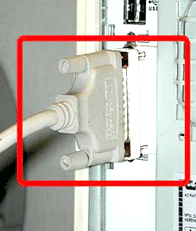
| c. Tighten the screws on the connector. |
| |
 |
| |
| d. Connect the power cord into a properly grounded electrical outlet. |
| |
| e. The socket-outlet should be installed near the equipment and should be easily accessible. |
| |
| Precautions after installation of computer accesories. |
| |
| 1. Video adaptor, adaptor of soundcard, adaptor of lancard should be installed properly. It is
recommended to call hardware engineer to install these cards. |
| |
| 2. Driver of printer/mouse/ should be installed properly. |
| |
| |
| For Animated Presentation of Assembling of Computer(With Voice) Click Here |
| |
| |
|
| |
| |


