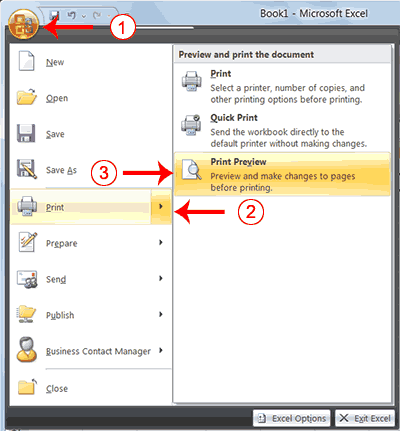
2. Highlight Print. The Preview and Print The Document pane appears.
3. Click Print Preview. The Print Preview window appears, with your document in the center.
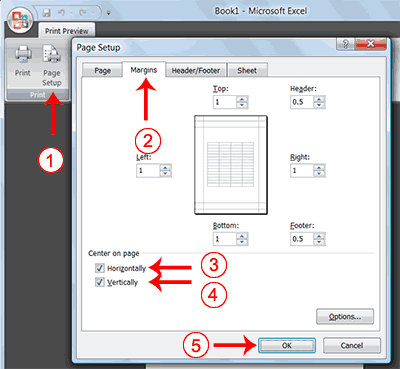
1.	Click the Page Setup button in the Print group.
 The Page Setup dialog box appears.
2.	Choose the Margins tab.
3.	Click the Horizontally check box. Excel centers your data horizontally.
4.	Click the Vertically check box. Excel centers your data vertically.
5.	Click OK. The Page Setup dialog box closes.
 |
 |
 |