| |
| Once the DOS is loaded into the RAM from the disk, it displays
a prompt on the screen, indicating that it is ready to accept instruction
from us. We can type all our command at this Prompt. |
| |
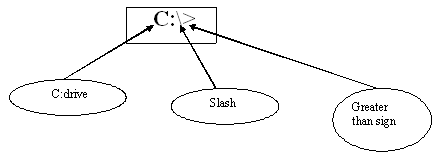
| The DOS Prompt looks like:- |
|
| |
| When we first turn on our computer, we will see some cryptic
information flash by. MS-DOS displays this information to let us
know how it is configuring our computer. We can ignore it for now.
When the information stops scrolling past, we'll see the following: |
| C:\> |
| |
| This is called the command prompt or DOS prompt. The flashing
underscore next to the command prompt is called the cursor. The cursor
shows where the command we type will appear. |
| |
| If our command prompt looks like the sample command prompt
above, skip to the following section, "Typing a Command." |
| |
| If our command prompt does not look like the example, type the
following at the command prompt, and then press ENTER: |
| cd \ |