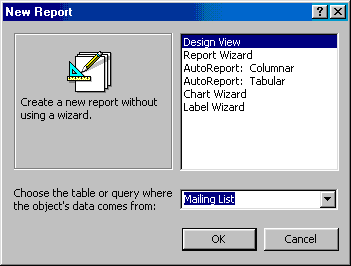
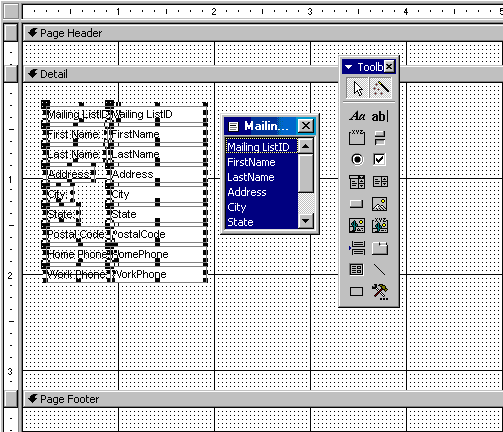
| You will be presented with a blank grid with a Field Box
and form element toolbar that looks similar to the Design View for forms.
Design the report in much the same way you would create a form.
For example, double-click the title bar of the Field Box to add all
of the fields to the report at once. Then, use the handles on the
elements to resize them, move them to different locations, and modify
the look of the report by using options on the formatting toolbar.
Click the Print View button at the top, left corner of the screen to preview the report. |