| How to Install Windows XP |
| |
| Upgrade to Windows XP |
| |
This section describes how to upgrade to Windows XP from Microsoft Windows 98, Microsoft Windows Millennium Edition (Me), and Microsoft Windows 2000 Professional.
Note: Before you start the upgrade process, obtain and install the latest BIOS upgrade for your computer from the computer's manufacturer. If you update the BIOS after you upgrade the computer, you may have to reinstall. |
 |
|
| |
| Windows XP to take advantage of features such as Advanced Configuration and Power Interface (ACPI) support in the BIOS. Update the firmware in all of your hardware devices before you start the upgrade if you can. |
| |
| To upgrade to Windows XP: |
| |
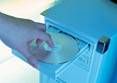
| 1. Start your computer, and then insert the Windows XP CD-ROM into the CD-ROM drive. |
| |
| 2. If Windows automatically detects the CD-ROM, click Install. |
| |
| Windows to start the Windows XP Setup Wizard. |
| |
| Note: If Windows does not automatically detect the CD-ROM, click Start, click Run, type the following command, and then click OK: |
| |
| CD-ROM drive letter:\setup.exe |
| |
| 3. When you are prompted to select an installation type, select Upgrade (the default setting), and then click Next. |
| |
| 4. Follow the instructions on the screen to complete the upgrade. |
| |
| |
|
| |
| |


