| Windows Media Player |
| |
| Currently playing |
| |
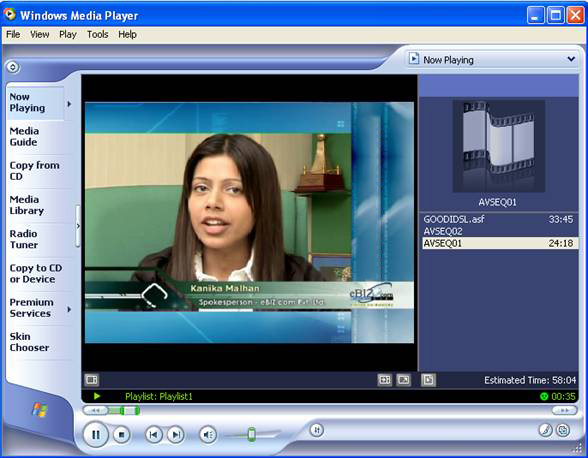
| The window shown below is the window that will appear with the media player. The appearance can vary since Windows lets you customize it. |
| |
| Step 1 |
| |
| Firstly you have to insert cd in CD ROM then you have to open your media file (avseq) like below where we are inserting cd in cd ROM and media player is playing movie . |
| |
 |
| |
| |
 |
| |
| |
| 1- To play a CD or songs that are saved to the hard drive we need to select Now playing, next display the File menu and select Open..., next look for the songs that we want to listen to. To choose several songs use the Ctrl key and then click open. The selected files will appear on the right side of the window in list form. |
| |
| 2- If what you want is to play a CD it is not necessary to use the File menu since the media player will automatically load the songs on the CD. |
| |
| 3- If you want to listen to a song on the list simply double-click it and it will begin to play. |
| |
| 4- The play order will be the same order that the songs appear on the list to the right. If you want to change the order simply select the songs with the left mouse button and drag the song to where you want it. |
| |
| 5- To change the name of a file from the playlist you have to right click on it and select Edit, then write the new name. |
| |
| 6- When playing a song, there is an image on the left side; this image has movement and it can be changed. |
To do this click on the arrows that appear here . . |
| |
| |
|
| |
| |


