| Adding New Hardware |
| |
| Adding Hardware |
| |
| To install a new element the first thing you need to do is to connect it to the computer, unless it has a USB cable, and turn it off. For many hardware elements it is not necessary to open up the computer. For example, in order to connect a mouse, screen, printer, or scanner we simply need to plug in the cables to the corresponding ports on the PC. In the majority of the cases there is no confusion because of the fact that a given cable will only fit into one designated port, and they are also color coded. |
| |
In other cases, such as installing a sound card or a hard drive, it will be necessary to open the computer and look for the corresponding slots.
Warning: In these cases refer to the instructions provided by the manufacturer. |
| |
| Once everything has been placed where it needs to go, turn on the computer, keeping in mind that a few different things can occur: |
| |
| a) The operating system recognizes the new hardware element. |
| |
| Windows will begin to install the hardware and we will not have to do anything more. In some cases it may ask for the CD with the drivers. |
| |
| b) The operating system does not recognize the new hardware element. |
| |
| This will be obvious because nothing will happen. |
| In this scenario, there are two possibilities: |
| |
| b.1) We have the CD with the drivers. |
| |
| Insert the CD and the installation process will begin. Follow the instructions that become displayed. If this does not happen look for a file like install.exe, instalar.exe, setup.exe, setup.bat and double-click on it so that the installation will begin. |
| |
| b.2) We do not have the CD with the drivers. |
| |
| In this case we should follow the process that is explained in the following point. Through this process Windows can find the driver needed. |
| |
| Note: If this does not produce any results, the only thing left is to personally look for the drivers on the manufacturers web page and download them to our hard drive. From there on follow the steps starting with b.1). |
| |
| |
| Adding hardware that is not Plug & Play |
| |
| To add a hardware element that has not been automatically recognized by the operating system or an element that we do not have the drivers needed to install it. |
| Window offers the following option: |
| |
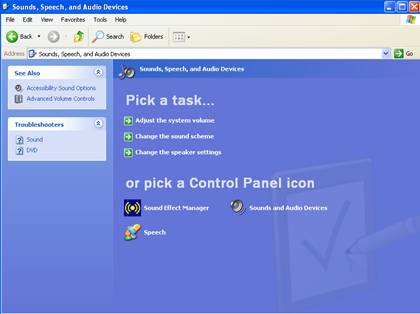
| From start choose Control Panel, double-click on Printers and Other Hardware, and a screen like the one below will appear. |
| |
 |
| |
| Now click on Add hardware. |
| |
| For Animated Presentation (With Voice)Click Here. |
| |
| |
|
| |
| |


