 |
 |
 |
| Macros | |||
| Deleting a Macro | |||
| To Delete a Macro in word 2007 follow these steps: | |||
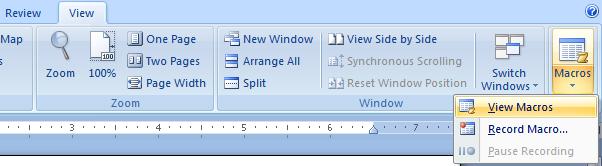
| 1. Click on View Tab on the Ribbon | |||
| 2. Click on Macros in Macros group | |||
| 3. Select View Macro | |||
|
|||
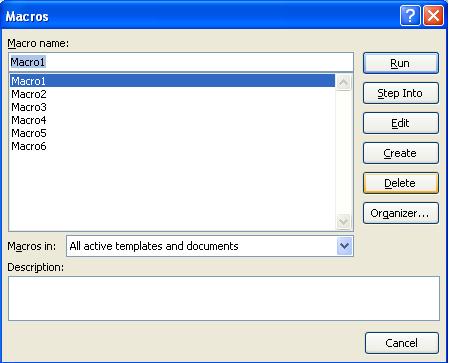
| 4. A macro dialog box open | |||
| 5. Select the Macro which you want to delete | |||
| 6. Click on Delete Button | |||
|
|||
| For Animated presentation Click here | |||
|
|||