| Word-2007 Application Window |
| |
| Microsoft Office Button |
| |
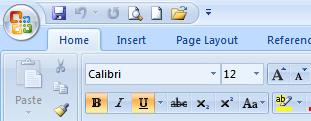
The Office 2007 button placed on the top-left of the window replaces the File menu. It provides fast access to files and frequently used commands. It can also close the application. placed on the top-left of the window replaces the File menu. It provides fast access to files and frequently used commands. It can also close the application. |
|
| |
| The Microsoft Office Button combines many of the old file menu options (especially regarding the authoring of documents) with the functions that users find additional need for in an age of increased online security. |
| |
|
| |
|
| Users can also choose color schemes for the interface. |
| |
| Here you can open or save a file, publish a file to a blog, save a file in PDF, email a file, or print a file. This is also where you'll find a link to the Word options. |
| |
|
|
| |


