| Getting Started |
| |
| Pagemaker Toolbox |
| |
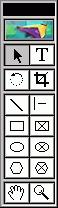
| The PageMaker Toolbox contains all of the selection, drawing, and viewing tools for creating and manipulating text and objects. This document will familiarize you with the tools in the Toolbox. |
 |
| |
| Displaying the Toolbox |
| To maximize your work space, you can toggle between a hidden and visible Toolbox.
To display the Toolbox, from the Window menu, select Show Tools The Toolbox is displayed. |
| PageMaker Toolbox |
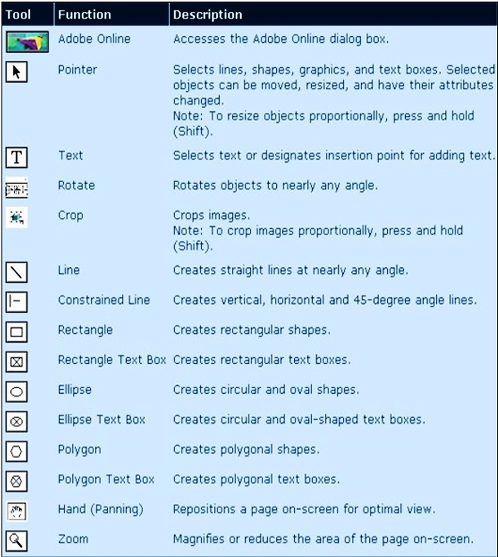
| This table describes each available tool and its function: |
 |
| |
| For Animated PresentationClick here |
| |
| |
|
| |
| |


