| Internet Application |
| |
| Video Conferencing |
| |
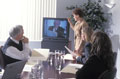
| Video conferencing involves the visual communication of parties around the world. You can use Video conferencing to link up with specific parties or you can join Video conferencing communities that operate in the same way Internet Chat does. There are 38 Victorian Government schools using Video conferencing technology which allows teachers and students to communicate verbally, electronically and visually as if they were in the classroom. |
 |
|
| |
| On-line discussion groups and electronic mail enable teachers and students to interact between lessons. Clusters of rural schools also purchase mobile technology resources jointly. These shared resources, ShareTeks, are rotated around the schools in the clusters for use by students and teachers. For more information on this Learning Technologies Project |
| |
 |
| |
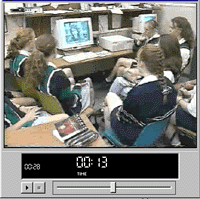
| Try this Real Video Movies showing students using Video conferencing. |
| |
| The Education Department's SOFNet studio offers facilities for anyone to book their Video conferencing suite at 23 St Andrews Place - Melbourne. You can book these facilities by contacting Carmel Mauro. To book facilities held in schools contact the schools directly.
If you would like to set up your own Video conferencing facilities from your computer read on. |
| |
| What you will need? |
| |
| If you would like to be a receiver - that is only 'see and hear the conversation', you will be able to do this with any standard Mac and if you have a Sound card and Video card on any standard PC. |
| |
| If you would also like to also be a sender that is - 'transmit your voice and video' you will also need a digital camera and PC users will need a microphone. These cameras can be purchase for about $100 for both MAC's and PC's and microphones for around $20.
And you will also need the software program! |
| |
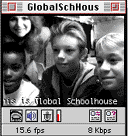
| The most popular program is CU-SeeME. It is a free Video conferencing program (under copyright of Cornell University and its collaborators) available to anyone with a Macintosh or Windows and a connection to the Internet. With CU-SeeMe, you can video conference with another site located anywhere in the world. If you want to conference with more than one other person/computer you need to connect to a reflector. By using a reflector, multiple parties at different locations can participate in a CU-SeeMe conference, each from his or her own desktop computer. With CU-SeeMe each participant can decide to be a sender, a receiver, or both. |
 |
|
| |
| Receiving requires only a standard Mac and a connection to the Internet. Sending requires the same plus a camera and digitizer which can cost as little as $100 to add on. |
| |
| For PC User to send and receive video you will need a video card supports Microsoft Video For Windows and a video camera to plug into the video card. To send & receive audio you'll also need a Sound Card that conforms to the Windows MultiMedia Specification (Sound Blaster or better). Full Duplex audio is very desirable and Speakers (or headphones) and a microphone. |
| |
| |
|
| |
| |


