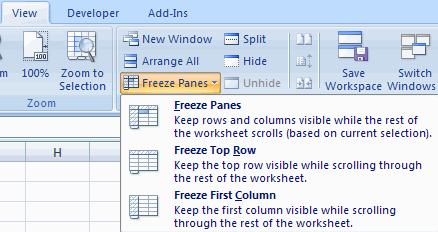
.	Click the Freeze Panes button on the View tab
.	Either select a section to be frozen or
 click the defaults of top row or left column
.	To unfreeze, click the Freeze Panes button
.	Click Unfreeze
 |
 |
 |
| Customize the Layout | |||
| Freeze & Unfreeze Rows and Columns | |||
| You can select a particular portion of a worksheet to stay static while you work on other parts of the sheet. This is accomplished through the Freeze Rows and Columns Function. To Freeze a row or column: | |||
. Click the Freeze Panes button on the View tab . Either select a section to be frozen or |
|||
|
|||
| For Animated Presentaiton Click Here! | |||
|
|||