. This will display the Header & Footer Design Tools Tab
. To switch between the Header and Footer, click the Go to Header or Go to Footer button

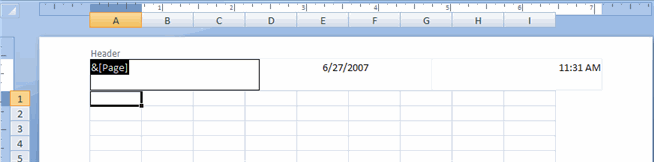
. To enter preprogrammed data such as page numbers, date, time, file name or sheet name, click the appropriate button
. To change the location of data, click the desired cell
 |
 |
 |