.	Click the column or columns that contain the data you wish to filter
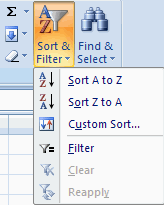
.	On the Home tab, click on Sort & Filter
.	Click  Filter button
.	Click the Arrow at the bottom of the first cell
.	Click the Text Filter
.	Click the Words you wish to Filter
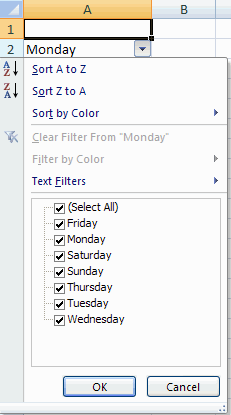
. Click Clear
 |
 |
 |