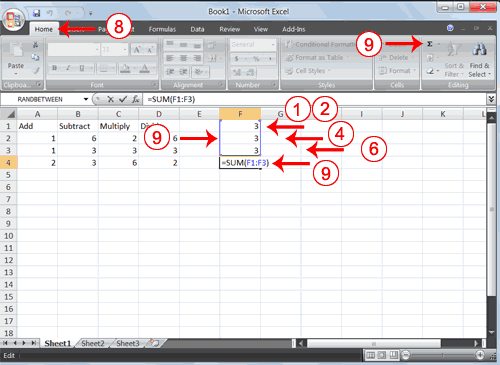
1.	Go to cell F1.
2.	Type 3.
3.	Press Enter. Excel moves down one cell.
4.	Type 3.
5.	Press Enter. Excel moves down one cell.
6.	Type 3.
7.	Press Enter. Excel moves down one cell to cell F4.
8.	Choose the Home tab.
9.	Click the AutoSum button  in the Editing group.
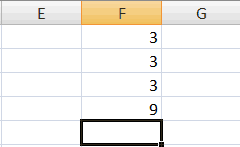
Excel selects cells F1 through F3 and enters a formula in cell F4.
 |
 |
 |