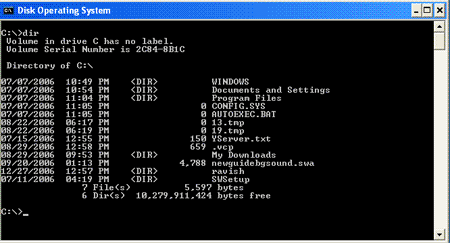
| The DIRECTORY command is like a table of contents in a book. This directory will list the following information: |
| . Filenames |
| . File extensions |
| . Size of each file |
| . Date and time the file was last updated. |
| Directions: |
| 1. At the C:\> type: dir and press Enter(return.) |
| 2. The list of files will scroll up and off the screen. |
 |
| NOTE: |
| At the end of the listing, there is a line that shows the number of bytes free on the hard drive. |
 |
 |
 |