| Computer Fundamental |
| |
| Memory |
| |
| Memory can be very confusing but is usually
one of the easiest pieces of hardware to add to your computer. It is
common to confuse chip memory with disk storage. An example of the
difference between memory and storage would be the difference between
a table where the actual work is done (memory) and and a filing
cabinet where the finished product is stored (disk). To add a bit
more confusion, the computer's hard disk can be used as temporary
memory when the program needs more than the chips can provide. |
| |
| Types of Memory |
. Primary Memory/Storage
. Secondary Memory/Storage
|
| |
| Primary Storage |
| Primary is directly connected to
the central processing unit of the computer. It must be present
for the CPU to function correctly, just as in a biological analogy
the lungs must be present (for oxygen storage) for the
heart to function (to pump and oxygenate the blood). |
| Primary Storage is also called temporary storage; Bcaz data
stored on it got erased as we switch off the computer. |
| |
| Primary storage typically consists of two kinds of storage: |
| . Main memory contains the programs that are currently
being run and the data the programs are operating on. In
modern computers, the main memory is the electronic
solid-state random access memory [RAM]. |
| |
| . Registers are internal to the central processing unit.
Registers contain information that the arithmetic and logic
unit needs to carry out the current instruction. |
| |
| |
| Secondary Storage |
| Also known as Permanent Storage caz data stored onto it is permanent. It is used to store
data that is not in active use. Secondary storage, or external
memory, is computer memory that is not directly accessible to
the central processing unit of a computer, requiring the
use of computer's input/output channels. |
| |
| Secondary Storage devices: |
| Hard Drive |
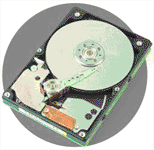
| Also located inside the system case, the hard drive
is the component which contains the operating system of the
computer (i.e. Windows 98 or XP), software applications (i.e.
Quicken or Microsoft Word), and all files (i.e. documents
and photographs) on a hard disk. |
| |
| A hard drive stores this data during
and between the times one uses the computer. |
| |
|
| Hard drive |
| |
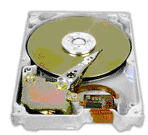
| These devices can both read and write
data on the hard disk. The capacity of data storage for hard
drives is measured in gigabytes. Hard drives capable of holding
up to 200 gigabytes of information are now available for consumers
to purchase. Most computers available today come with a
20, 40, 60, or 80 gigabyte hard drive.
|
| |
|
| Hard drive |
| |
| Floppy Disk Drive |
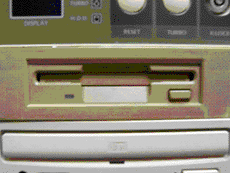
| Although it is completely contained within the system case, the
opening of the floppy disk drive is usually visible
in the front of the case. |
| A floppy disk can be used to transfer information from one
computer to another, install new software, or back up a small
amount of files. This is accomplished by temporarily inserting
the floppy disk into the disk drive. |
| |
|
| Floppy disk drive on front of the system case |
| |
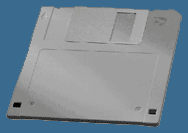
| The picture below is a 3½ inch floppy disk which has
a data storage capacity of 1.44 megabytes. Most computers
made within the past 10 years have this type of floppy disk
drive as a standard device. These disks can be read or
written to by almost any computer and can be erased and
reused over and over. |
| |
|
| 3 1/2 inch floppy disk |
| |
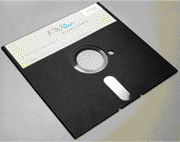
| The picture on the left is a 5¼ inch disk. These disks
were commonly used during the 1980's when home computers
were made available to the average consumer. |
| |
|
| 5¼ inch disk |
| |
| Because they are physically flexible, they were given
the name floppy disks. The 5¼ inch disk is now considered
to be outdated technology, and they are rarely used today
because most modern computers do not even come equipped
with that type of disk drive. |
| |
| |
| Compact Disc Drive |
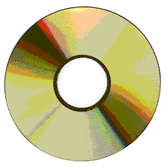
| The compact disc is another way in which
data can be stored, transferred, or installed. |
| |
| These discs are capable of holding up to 700 megabytes of information and are read by an optical device called the
CD-ROM (Compact Disc - Read Only Memory) drive. As the name
implies, a CD-ROM drive may only read or use the data on a
compact disc. This device does not have the capability of
placing information on a blank CD. |
| |
|
| Compact disc (CD) |
| |
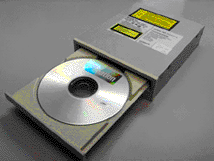
| However, in recent years, a new type of compact disc
drive has been made available to consumers. The CD-RW (Compact
Disc - Read Write) drive not only allows one to use existing
information on a CD but also to place data on a blank compact disc. |
| |
| Because of the optical process involved, this is commonly
known as burning a CD and the CD-RW drive is often
referred to as the CD-burner. |
| |
|
| CD-RW |
| |
| |
|
|
| |
| |